
Download GameRanger – multiplayer gaming, online games, game matchmaking, gaming community, game hosting
Overview
GameRanger is a mobile application designed to enhance the multiplayer gaming experience for users across iOS and Android platforms. The app serves as a bridge between gamers and their favorite titles, enabling seamless online gameplay through a centralized platform. With support for over 600 video games, including both mainstream hits and niche titles, GameRanger simplifies the process of finding, joining, and hosting multiplayer sessions. Its primary purpose is to eliminate the complexity often associated with connecting to online games, particularly for titles that lack built-in matchmaking systems.
The app caters to a broad audience of gamers, from casual players seeking quick matches to more dedicated enthusiasts who enjoy organizing private sessions with friends. It is especially valuable for players of older or legacy games that may no longer have active official servers. By maintaining compatibility with a wide range of titles—from Call of Duty: Modern Warfare to StarCraft and World of Warcraft III—GameRanger ensures that players can continue enjoying beloved games long after official support ends.
Developed by GameRanger, Inc., the app has been available since 2010, demonstrating long-term viability and sustained relevance in the gaming ecosystem. The developer did not provide additional technical details about the app’s architecture or backend infrastructure. However, its longevity suggests a stable foundation and consistent user support. GameRanger plays a key role in preserving access to multiplayer functionality for a vast library of games, contributing to a vibrant and active gaming community.
Key Features & Functionality
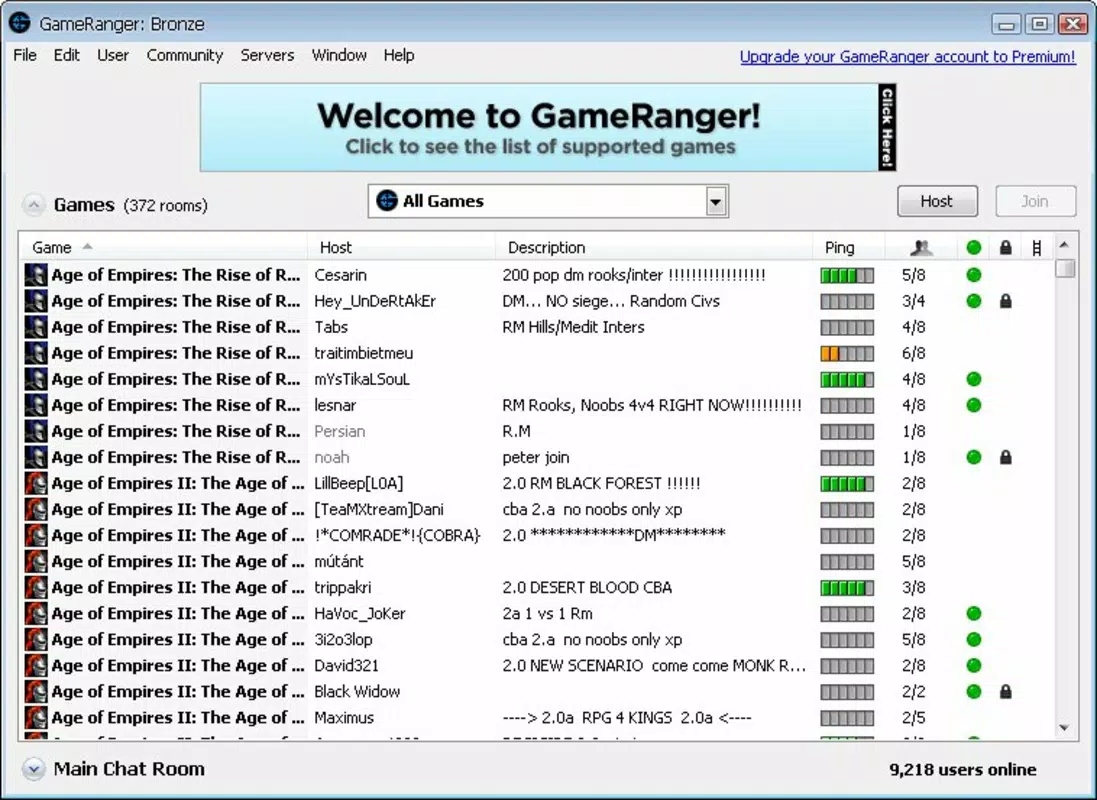
- Extensive Game Library: GameRanger supports over 600 video games, spanning multiple genres and eras. This includes popular franchises like Call of Duty and StarCraft, as well as lesser-known titles such as Outwars. The breadth of supported games allows users to explore diverse multiplayer experiences without needing to search across multiple platforms.
- Simple Game Setup: Players can join multiplayer games with minimal effort. After installing their desired game, users simply browse the GameRanger interface, select an available session, and connect instantly. This streamlined process reduces friction for new and returning players alike.
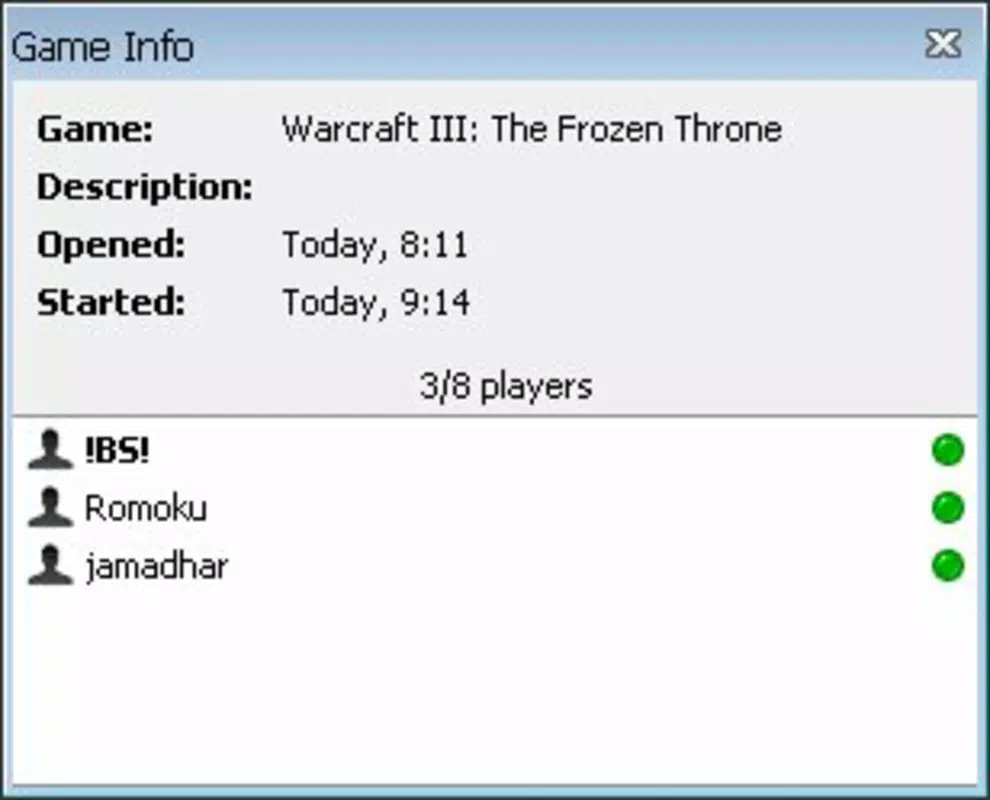
- Game Hosting & Invitations: Users can create custom game sessions and invite friends directly through the app. This feature strengthens social engagement, making it ideal for group play, tournaments, or casual gaming nights.
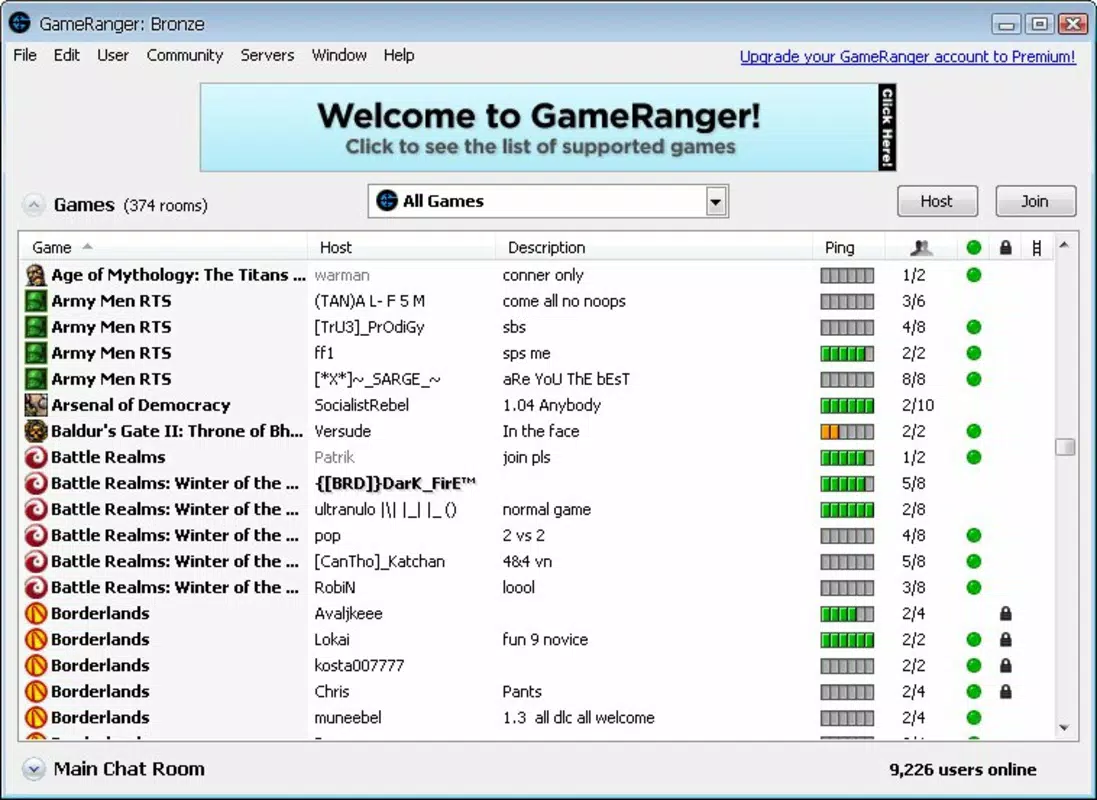
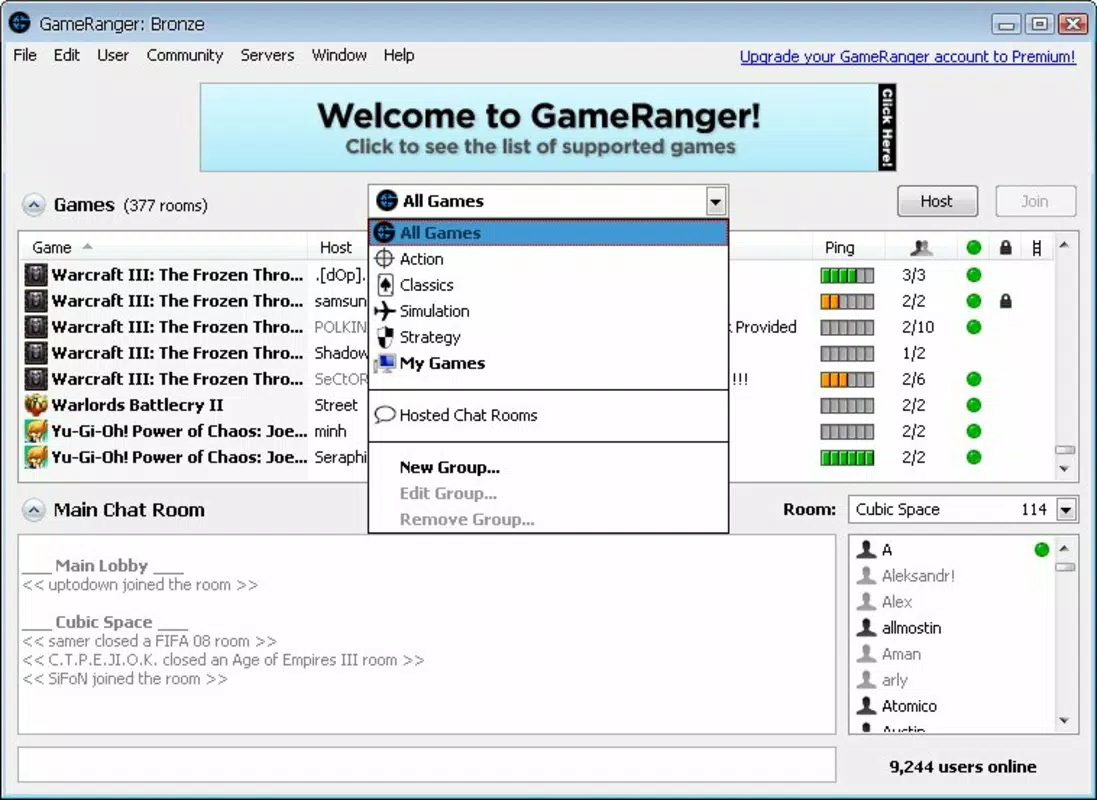
- Intuitive User Interface: The app features a clean, well-organized layout that prioritizes accessibility. Navigation is straightforward, with clear categorization of games, active sessions, and friend lists, minimizing the learning curve.
- Online Multiplayer Facilitation: GameRanger acts as a central hub for multiplayer connectivity, offering matchmaking, server hosting, and session discovery. This functionality is especially critical for games without official online infrastructure.
For example, a player interested in a retro RTS game can use GameRanger to locate an active server, join a session, and begin playing within minutes. Similarly, a group of friends can host a private match of a modern title, bypassing platform-specific limitations.
Interface, UX & Performance
The user interface of GameRanger reflects a focus on clarity and usability. The layout is organized into logical sections, including game listings, active sessions, and friend activity, allowing users to navigate with minimal effort. Visual elements are minimal yet functional, emphasizing content over decoration, which helps maintain performance and readability across different screen sizes.
Navigation is intuitive, with consistent placement of core functions such as game search, session joining, and friend invitations. The app maintains a responsive feel during interactions, with quick load times for game lists and session data. Although the developer did not list formal performance metrics, the app’s long-standing presence suggests a stable and optimized experience across various device categories.
Users can expect smooth transitions between screens and reliable session management. Stability appears to be a priority, with no widespread reports of crashes or freezes. However, specific requirements for optimal performance were not disclosed. The app’s ability to function effectively on older devices may contribute to its continued popularity among legacy game communities.
Platform Compatibility & Technical Requirements
GameRanger is available on both iOS and Android platforms, offering broad accessibility for mobile users. The current version is 2.4.2, with a file size of 112 MB. This relatively compact size allows for quick installation and minimal storage impact, making it suitable for devices with limited space.
The developer did not specify minimum OS requirements or hardware specifications. As such, compatibility with specific iOS or Android versions cannot be confirmed. However, given the app’s release date of 2010 and continued updates, it is likely compatible with a wide range of devices, including older models. Users should ensure their device meets general system requirements for running modern mobile apps.
Pros and Cons
Pros
- Supports over 600 games, including legacy and niche titles
- Simple, intuitive interface for easy navigation
- Enables game hosting and friend invitations
- Free to download and use
- Facilitates multiplayer access for games without official online servers
Cons
- Specific OS and hardware requirements were not disclosed
- No official information on update frequency or future development plans
- May require users to manually install games before use
- Limited public documentation on backend infrastructure or security protocols
- Dependence on external game installations for functionality
FAQ
Is GameRanger safe to download and use?
Yes, GameRanger is available through official app stores for iOS and Android. The app is free to download and does not require access to sensitive personal data. Users should ensure they are downloading from trusted sources to maintain security.
Can I use GameRanger with any game?
GameRanger supports over 600 games, but only those that are compatible with its networking system. Not all games can be hosted or joined through the platform. Users must verify game compatibility before attempting to play.
Does GameRanger require an internet connection?
Yes, a stable internet connection is required to join or host multiplayer sessions. The app relies on online servers to facilitate game matchmaking and session management.
How often is GameRanger updated?
The developer has not publicly shared update schedules. However, the app has been maintained since 2010, suggesting ongoing support. Users should check their app store for the latest version.
Can I play GameRanger on older devices?
While specific compatibility details were not provided, the app’s long history and modest file size suggest it may function on older devices. Performance may vary depending on the device’s hardware and OS version.
Final Thoughts
GameRanger stands out as a vital tool for gamers who value accessibility, community, and continuity in multiplayer experiences. Its extensive library of supported games, combined with a user-friendly interface and reliable hosting capabilities, makes it a go-to platform for both casual and dedicated players. The app’s ability to keep legacy titles alive is particularly commendable, offering a bridge between past and present gaming culture.
While some technical details remain undisclosed, the app’s enduring presence in the market speaks to its reliability and user satisfaction. It is especially beneficial for those who enjoy retro games, private multiplayer sessions, or want to connect with friends across different platforms. With no cost to use, GameRanger delivers strong value for its target audience.
Download GameRanger now


